Ready-to-use ITSM apps for Microsoft 365
Watch the video below for a first impression of our solution: seeing is believing!
SPFx app
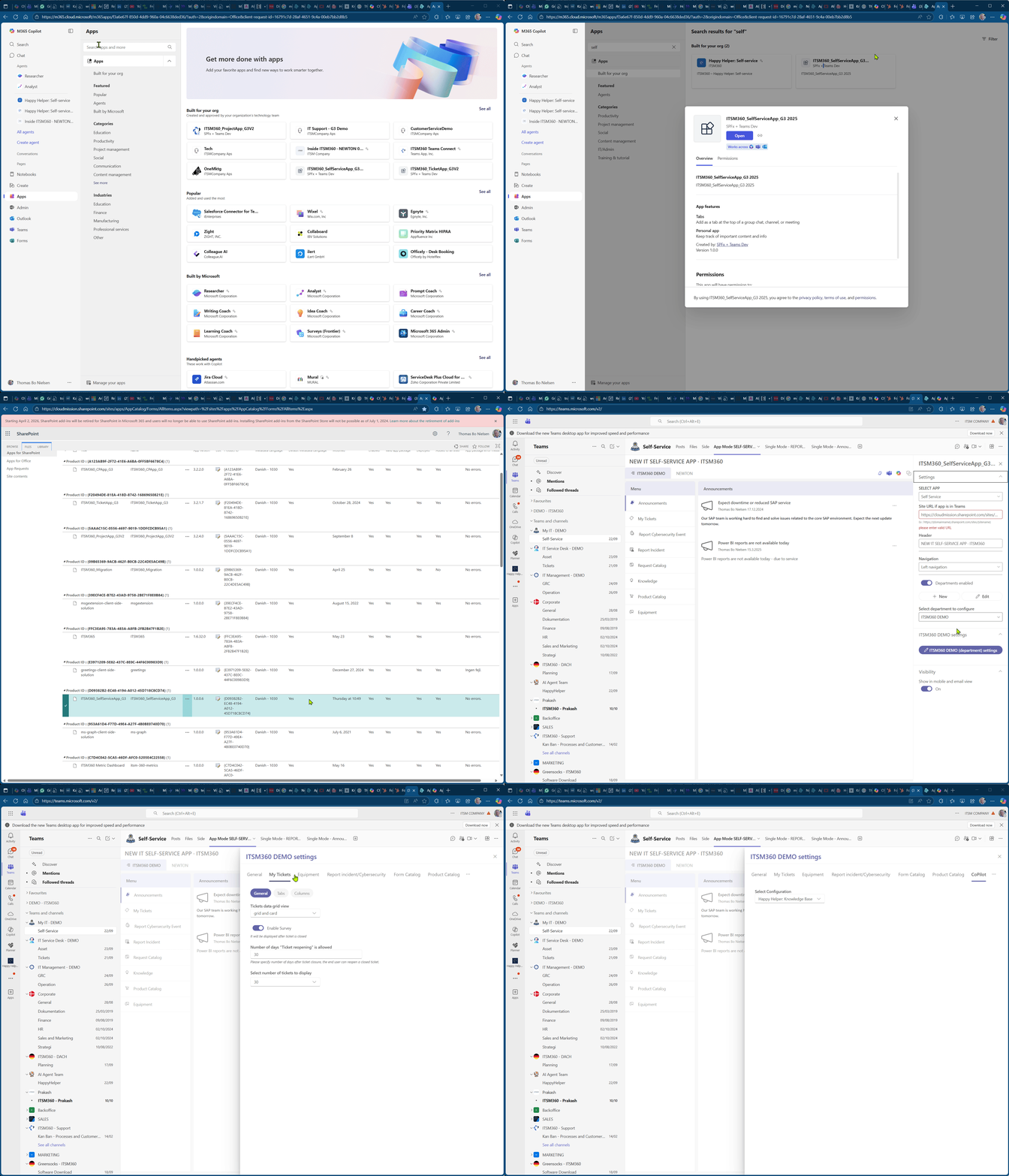
All apps are developed using the SPFx framework, published in your app catalog, and managed by Entra AD.
Microsoft UI
The apps in the ITSM360 portfolio are all based on Microsoft's Fluent UI, the same framework that shapes Office.
No Code
The app is highly flexible, with built-in settings that allow you to customize it to your business needs.
SharePoint
SharePoint is the data source for all apps, embedded in the app and used with our Sequel concept.
service desk app for Microsoft 365
Native teams & AI
ITSM360 integrates fully with all your Microsoft products. Support tickets, requests, and self-service from users are handled directly in Teams. Collaboration with your IT partners, HR, or Facilities also works from within Teams.
You can unlock data and applications and manage all your servers, workstations, and applications from ITSM360. This ensures control, higher customer satisfaction, and structurally lower costs.
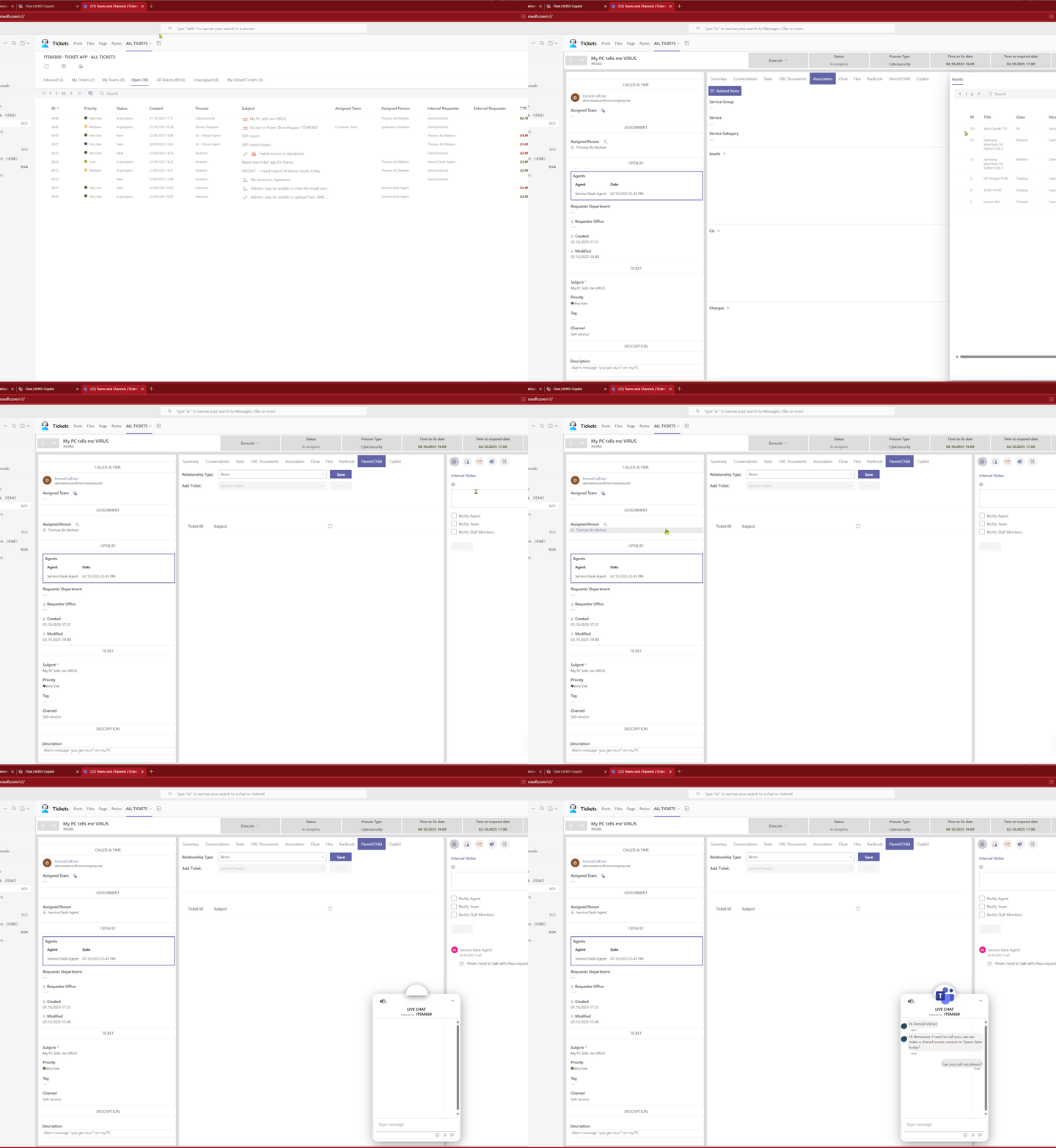
By building your ticketing system within Teams and SharePoint, you consolidate your tools, reduce costs associated with specialized third-party software, and enable your team to work within a platform they already use every day.
This strategic approach improves efficiency and simplifies processes, allowing anyone with Microsoft skills to manage and maintain the system.
Discover how integrating your ticketing system with your existing Microsoft infrastructure can unlock a more innovative and effective ITSM solution for your organization.
Features
- Support for multiple process types
- NSLA, TTR/TTF, and/or deadline statistics
- Flexible status codes with ticket priority linked to SLA
- Email enabled, write/receive emails from ticket + notification alert
- Microsoft Teams Chat from ticket and Teams Group features
- Overview of previous tickets from the caller/request
- Create and work with subtasks related to the ticket
- Link the main service, assets, CI, issues, and changes in the ticket
- Files related to the ticket are stored in a SharePoint folder.
- Runbook
- Parent/child relationship between tickets
- Changes to tickets assigned to a handler or a resolution group
- Agent/analyst profile with custom settings and templates
- Agent/analyst profile with custom settings and templates
- Embedded Copilot agent
- Knowledge relevant to service within the ticket, and analyst knowledge
- Visible Process documentation (SOP, policy, etc.) relevant to the ticket process
- App supports custom logic/data field
- Multi-user enabled, real-time overview of analysts working on the ticket
Introduction / DEMO
via MSTeams
Book an appointment directly in our calendar!

The Value of ITSM on Microsoft
- Fits perfectly with your Microsoft... unless strategy
- Significantly lower costs for setting up and operating ICT services
- Make your organization agile by improving ICT services together
- Satisfied users, higher returns, optimal engagement
- Clear reports
- Real-time customer satisfaction and costs measurable
- Flexible and customer-focused service innovation
- More positive visibility within the organization, but also...
- More positive visibility outside the organization
- Managing and reporting on customer satisfaction rather than technical issues
- One system, without modules and customization
- Multi-tenant: set up and manage different organizations and contracts
- Rapid development of customer-focused services
- Providing clear functionality for HR and facilities
- Secure access to and integration with services and information
- Directing service provision and innovation
- Lower costs, higher satisfaction
- More positive visibility within the organization
- Fully integrated within the Microsoft environment and your own tenant
- One tool for IT/HR/Facilities, making processing faster and easier
- Create a link between users and IT instead of islands
- All functionality available without modules and complex links
- Standardize services and processes without paperwork
- Easy access to all data and services, internally and externally
- Single point of information for services/administrators/users
- Design and knowledge management from a single environment
- Flexible and customer-focused service innovation
- Working entirely from MS Teams, making communication easy
- One tool for IT/HR/Facilities, making processing faster and easier
- One tool for directing, recording, collaborating, coordinating, and providing feedback
- Working from a familiar Microsoft environment
- Call less, only for high priorities
- Automate frequently asked questions/changes
- Offering more self-service, freeing up time for management
- Focus on satisfied users instead of focusing on incident management
- Immediate insight into appointments, handling groups, and therefore much more efficient working
- Many more self-service options: faster and better service delivery
- An IT department that is helpful and customer-friendly
- The ability to give ratings on quality
- Optimal cooperation in improving the quality of ICT services
- Incidents, requests, and problems handled much faster
- Convenient workplace services such as booking meeting rooms, desks, lunch, and workspaces
- Easily communicate via Teams about services you recognize
- Always have insight into the status of an application and request
- All information in one system: the familiar Microsoft environment
Ready to make ITSM simple again?
Book an appointment directly in our calendar!
Not a sales pitch, but a free, substantive consultation with one of our specialists.